EasyPic

EasyPic
License:
Free
Language:
English
Developer:
OS:
Win98/98SE/Me/2000/XP
Added:
See detailed info

Softonic review

Elena Santos

“Resize photos and optionally add a watermark”

by Elena Santos about EasyPic

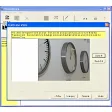
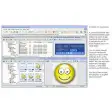
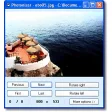
EasyPic is clearly not intended for massive picture resizing, as it works with only one file at a time. However, it's a perfect tool for occasional resizing, like creating an avatar for your IM client or publishing a downsized picture to your blog.

Unlike similar tools, EasyPic doesn't use size presets; it simply enables you to enter the new size values, maintaining aspect ratio automatically. It also allows you to add a watermark to the resized picture, although only in seven different positions with no customizing possibilities.

Once resized, you can save the picture in JPG, BMP or GIF and also save settings for future use, which makes it a bit easier for working with more than one file.

Pros
  • Good only for occasional resizing
  • You can select any size (no presets)
Cons
  • Watermark support
  • You can save settings
Free Download EasyPic 0.8

EasyPic is virus free

We have analyzed the latest version of EasyPic with 30 antivirus engines and it is virus free. See analysis results.

TESTED VIRUS FREE - Softonic GUARANTEED

Developer's description

EasyPic is a small image editing software designed by Kongtechnology.com to help you to resize images and photos easily. You can also optionally insert any wording you like such as your blog’s URL on the image. The wording’s look and feel is fully customizable, you can change the font face, the size, bold or italic, the foreground and also the background color.

The beauty of this software is that it’s simple and easy to use. You can resize a picture and put your blog credit on it in less than 5 seconds. That’s less than the time you need to start up Adobe Photoshop CS. Of course you do not want to install the 200MB Adobe Photoshop CS just because you need it to resize a few photos for your blog, do you?

Do you know that you can save your preferences in EasyPic? Yes, save your blog styles and load them next time so that you can do your photo editing even faster.

Review and rate EasyPic

Your avatar

Your opinion is important.
Help other users - be the first to review this program.

Review
  1. Maximum: 75 characters

  2. See example

Pros and Cons
Rate
  1. What rating would you give EasyPic?

    You need to fill in all fields

    • Usability:

      Not rated
    • Stability:

      Not rated
    • Installation:

      Not rated
    • Functionality:

      Not rated
    • Appearance:

      Not rated
    • Overall rating:

      Not rated
  2. Don't worry, we won't make your email address public.

You're not allowed to share serial numbers, cracks, etc. or link to pages that contain them. If you do, your user account will be deleted, your IP address logged and legal action will be taken.

Get started - just ask a question!

Write a title for your question.

Alternativesto EasyPic

  • In English:
    Microsoft PowerPoint Viewer
    Microsoft PowerPoint Viewer

    Open PowerPoint PPT files without Powerpoint

    Softonic rating:
    • 8/10
    User rating:
    • 7/10
  • Better user reviews:
    Imazer
    Imazer

    Resize all your images

    Softonic rating:
    • 8/10
    User rating:
    • 10/10
Compare with EasyPic

Screenshots from EasyPic

Download rank: Crop & Resize

30 of 91

Softonic rating:
  • Good
  • 7/10
User rating: (1 rating)
  • Very good
  • 8/10
Your rating:
Your rating
  • 0

Review and rate this program

Top Downloads: Crop & Resize

  • United States
  • Global

  1. Open PowerPoint PPT files without Powerpoint

Reviews of EasyPic in other languages